Download ScreenRhythm
34cd625203195a391fd74d18d11502e370cbf389ceff80fed04198a80eb991f9What happens when you install
- Windows asks for administrator permission once. The installer needs it to install the protection service and the system-wide filter.
- The app opens and asks you to set a parent password.
- You can connect your phone from the parent panel. The phone panel opens in a browser; there is no separate phone app.
- Pro starts with a 14-day trial. No card is needed for the trial.
What it looks like
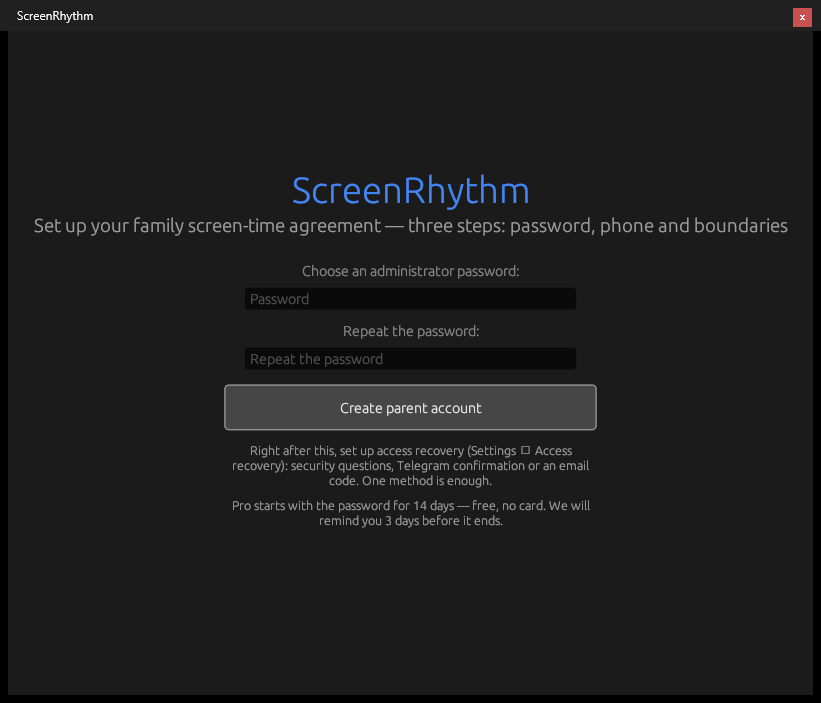
The first run asks for a parent password. The default 2-hour daily limit and 9:00–21:00 schedule are already active.
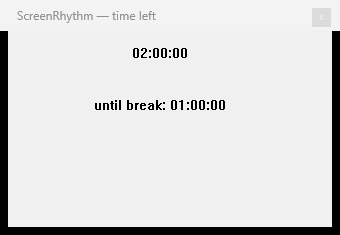
The child sees the countdown and the next break. No password is needed to check the time left.
Windows may warn
The installer is not code-signed, so SmartScreen may show “Windows protected your PC”. This is the standard warning for an unknown publisher, not a virus report. Click More info, then Run anyway. More about the warning.
Check the file
The SHA-256 above is the fingerprint of the official installer. On Windows you can check it in PowerShell:
Get-FileHash .\screenrhythm-setup-1.1.24.exe -Algorithm SHA256If the hash is different, do not install the file — download it again from this page.
System requirements
- Windows 10 or Windows 11, 64-bit.
- Administrator rights for the installation.
- A local Windows account for the child is recommended. The app also works with a Microsoft account.
- Internet is needed for the phone panel and the filter list. The time limits and schedule work offline.
Free or Pro?
The free plan includes the daily time limit, breaks, the weekly schedule, the lock screen and the parent password. Pro adds the system-wide site filter, the phone panel, weekly reports and extra-time requests. Pro is $4.99/month or $39/year; the first 14 days are free. Buy Pro or request an invoice.
Questions: support@screenrhythm.com.